

BestGamerPicks is reader-supported. As an Amazon Associate we earn from qualifying purchases. This does not change our recommendations. Learn more.
The best desk setup for programmers who game balances sharp text and ergonomics for long coding sessions with the speed you want for games.
Programmers need screen space and comfortable typing, while gaming needs refresh rate and a good mouse. We compared gear that does both to build the best desk setup for programmers who game.
Quick Answer: The Best Desk Setup for Programmers Who Game
- Best Monitor: Dell 27 Plus QHD Monitor S2725DSM, 144Hz
- Best Dual Monitor Arm: HUANUO FlowLift Dual Monitor Stand
- Best Typing Keyboard: Logitech Ergo K860 Wireless Ergonomic Split Keyboard with Wrist Rest
- Best Gaming Keyboard: Logitech G515 Lightspeed TKL Wireless Gaming Keyboard (Tactile)
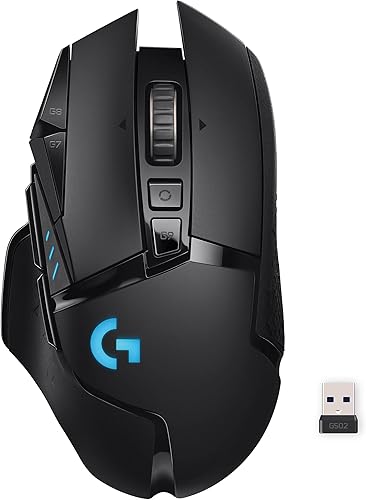
- Best Mouse: Logitech G502 Lightspeed Wireless Gaming Mouse
- Best Desk Light: BenQ ScreenBar Halo 2 LED Monitor Light Bar with Wireless Controller
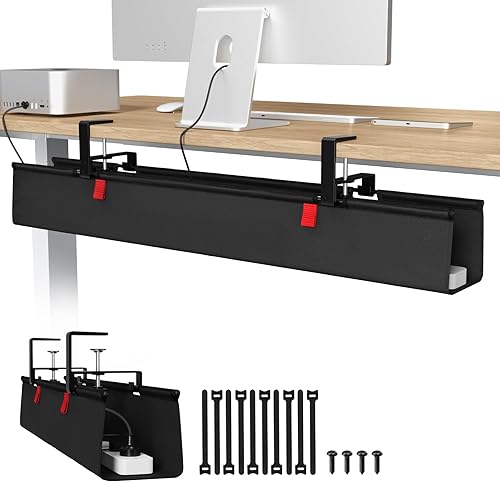
- Best Cable Tray: Univivi No Drill Under Desk Cable Management Tray, 36 inch
- Best Desk Pad: Aothia Non-Slip Waterproof PU Leather Desk Pad
- Best Budget Chair: GTPLAYER Gaming Chair with Footrest and Lumbar Support
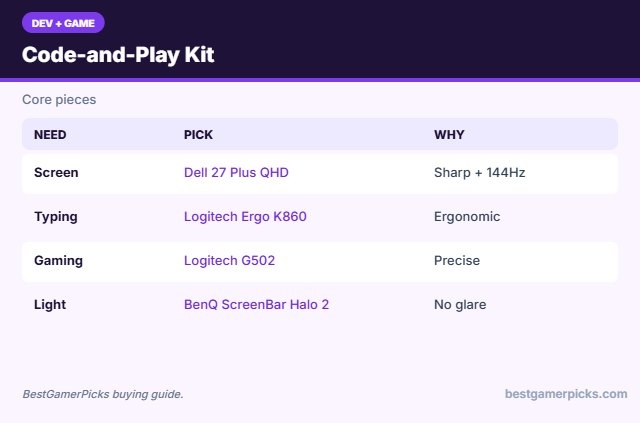
The Dell 27 Plus QHD is the best monitor for a desk setup for programmers who game. Pair it with a HUANUO dual arm, the Logitech Ergo K860 for typing, a Logitech G502 Lightspeed for games and a BenQ ScreenBar Halo 2.
Best Desk Setup for Programmers Who Game Comparison Table
| Product | Best For | Type | Key Feature | Buy |
|---|---|---|---|---|
| Dell 27 Plus QHD Monitor | Best Monitor | QHD work-and-play monitor | QHD 144Hz | Check Price |
| HUANUO Dual Monitor Arm | Best Dual Monitor Arm | Dual monitor arm | Two screens, adjustable | Check Price |
| Logitech Ergo K860 | Best Typing Keyboard | Split ergonomic keyboard | Curved split design | Check Price |
| Logitech G515 Lightspeed TKL | Best Gaming Keyboard | Low-profile wireless keyboard | Lightspeed + Bluetooth | Check Price |
| Logitech G502 Lightspeed | Best Mouse | Wireless gaming mouse | HERO sensor, tunable weights | Check Price |
| BenQ ScreenBar Halo 2 | Best Desk Light | Premium monitor light bar | Front light + backlight + motion sensor | Check Price |
| Univivi Under-Desk Cable Tray | Best Cable Tray | Cable tray | No-drill clamp mount | Check Price |
| Aothia Leather Desk Pad | Best Desk Pad | Leather desk pad | Waterproof PU leather | Check Price |
| GTPLAYER Gaming Chair | Best Budget Chair | Gaming chair | Footrest + lumbar | Check Price |
The 9 Best Desk Setup Picks for Programmers Who Game
Each best desk setup for programmers who game pick works for code and games.
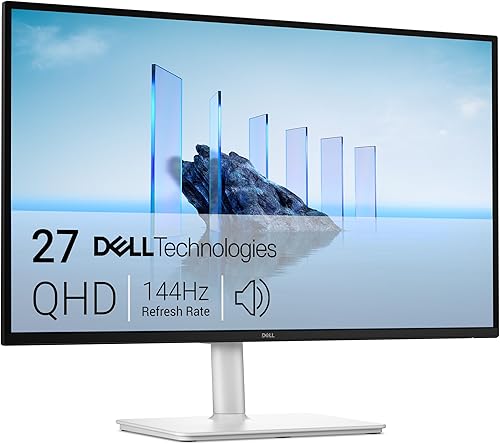
1Dell’s 27 Plus QHD is a sharp 144Hz monitor for coding and gaming.
👍 Pros & Cons
Pros
- Sharp text for coding
- Smooth for games
- Trusted brand
Cons
- Pricier
- Speakers basic
📄 Detailed Review
- Size: 27 in
- Resolution: QHD
- Refresh: 144Hz
Great dual-purpose screen.
Work-and-play monitor.

HUANUO FlowLift Dual Monitor Stand
2HUANUO’s dual arm holds two monitors for work and gaming setups.
👍 Pros & Cons
Pros
- Great for work + gaming
- Saves space
- Very popular
Cons
- Heavier install
- Desk thickness limits
📄 Detailed Review
- Screens: 2
- Adjust: Gas spring
- Mount: Clamp/grommet
Ideal for programmers.
Dual monitor pick.

Logitech Ergo K860 Wireless Ergonomic Split Keyboard with Wrist Rest
3Ergo K860 is a curved split keyboard that keeps wrists straighter.
👍 Pros & Cons
Pros
- Excellent ergonomics
- Great for coders
- Wrist rest
Cons
- Learning curve
- Keyboard only
📄 Detailed Review
- Design: Curved split
- Rest: Pillowed wrist rest
- Connection: Bluetooth / receiver
Great for programmers who type all day.
Best ergonomic keyboard.

Logitech G515 Lightspeed TKL Wireless Gaming Keyboard (Tactile)
4G515 Lightspeed TKL is a slim wireless mechanical keyboard for work and gaming.
👍 Pros & Cons
Pros
- Slim and wireless
- Great for work and play
- Well rated
Cons
- Pricier
- Keyboard only
📄 Detailed Review
- Connection: Lightspeed, Bluetooth, USB-C
- Profile: Low-profile mechanical
- Layout: Tenkeyless
Pairs well with a Logitech G mouse.
Work-and-play keyboard.
Logitech G502 Lightspeed Wireless Gaming Mouse
5G502 Lightspeed is a feature-packed wireless gaming mouse with adjustable weights.
👍 Pros & Cons
Pros
- Iconic shape
- Many buttons
- Highly rated
Cons
- Heavier
- Mouse only
📄 Detailed Review
- Connection: Lightspeed wireless
- Sensor: HERO
- Extras: Adjustable weights
A strong all-round pick.
Best feature-rich mouse.

BenQ ScreenBar Halo 2 LED Monitor Light Bar with Wireless Controller
6The ScreenBar Halo 2 lights your desk without glare and adds a backlight to soften screen contrast.
👍 Pros & Cons
Pros
- No screen glare
- Backlight reduces contrast
- Motion sensor auto on/off
Cons
- Premium price
- No RGB colors
📄 Detailed Review
- Front light: ASYM-Light, 18° anti-glare
- Backlight: Wide adjustable ambient
- Control: Wireless controller, motion sensor
BenQ’s asymmetric optics aim light at the desk, not the screen, and the wireless dial controller makes adjustments easy.
The best eye-comfort monitor light.
Univivi No Drill Under Desk Cable Management Tray, 36 inch
7Univivi’s no-drill tray hides power strips and cables under the desk.
👍 Pros & Cons
Pros
- Hides cables
- No drilling
- Highly rated
Cons
- Needs desk overhang
- Fills quickly
📄 Detailed Review
- Length: 36 in
- Mount: No drill
- Material: Metal
Essential for clean setups.
Clean setup pick.

Aothia Non-Slip Waterproof PU Leather Desk Pad
8Aothia’s leather desk pad gives work-and-gaming desks a clean, protected surface.
👍 Pros & Cons
Pros
- Clean work look
- Waterproof
- Enormous review base
Cons
- Not a gaming surface
- Edges can curl
📄 Detailed Review
- Material: PU leather
- Feature: Waterproof
- Colors: Many
Easy to wipe clean.
Work desk pad.

GTPLAYER Gaming Chair with Footrest and Lumbar Support
9GTPLAYER’s gaming chair adds a footrest and lumbar pillow at a budget price.
👍 Pros & Cons
Pros
- Huge review base
- Footrest
- Affordable
Cons
- Bonded leather
- Bulky
📄 Detailed Review
- Extras: Footrest, lumbar pillow
- Recline: Yes
- Use: Desk gaming
Popular for first setups.
Value chair.
How We Chose the Best Desk Setup for Programmers Who Game
To choose the best desk setup for programmers who game, we compared gear that suits long coding sessions and gaming.
For official guidance on keyboard height, wrist posture and placement, see the OSHA Computer Workstations eTool on keyboards.
Product details in this guide are based on manufacturer specifications and verified owner feedback, not in-house lab testing. Read more on our How We Test page.
Buying Guide: How to Choose the Best Desk Setup for Programmers Who Game
Keep these factors in mind when shopping for the best desk setup for programmers who game.
QHD for code, high refresh for games
A 27-inch QHD monitor shows more lines of code with sharp text, and 144Hz keeps games smooth.
Wrist position and wrist rests
Keep wrists straight and relaxed, with the keyboard and mouse at elbow height. A wrist rest supports the palm during pauses; avoid planting your wrists while typing.
One keyboard or two?
Many developers use an ergonomic keyboard for work and swap to a gaming keyboard at night. A low-profile mechanical board can cover both.
Cable management
A cable tray, clips and a power strip mounted under the desk keep things tidy and safer, especially in small rooms.
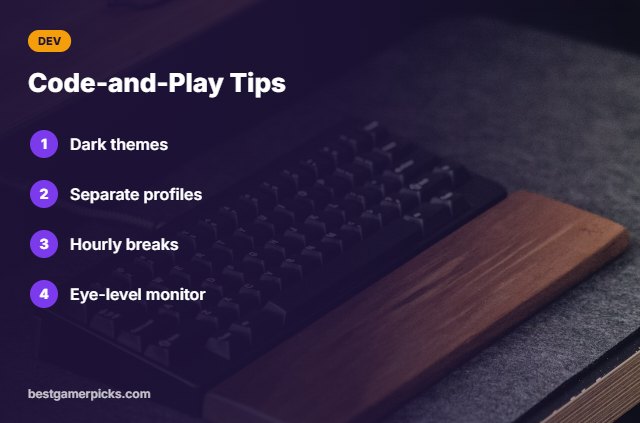
Code-and-Play Tips
Work and play well:
- Use dark themes at night.
- Set separate work and game profiles.
- Take breaks every hour.
- Keep the monitor at eye level.
Here are quick answers about the best desk setup for programmers who game.
Frequently Asked Questions
What is the best desk setup for programmers who game?
The best desk setup for programmers who game combines a 27-inch QHD 144Hz monitor, a dual monitor arm, an ergonomic keyboard, a gaming mouse and a monitor light bar.
QHD or 4K for coding?
QHD 27-inch is a sweet spot.
One keyboard for both?
A low-profile mechanical board can work.
Do I need two monitors?
It helps for docs and code.
Final Verdict
Our final pick for the best desk setup for programmers who game is the Dell 27 Plus QHD Monitor. Choose the HUANUO Dual Monitor Arm if you want a dual arm, or the Logitech Ergo K860 for comfortable typing.
Related Guides
More gaming setup guides:
- Best Desk Accessories for Cozy Gamers
- Best Desk Setup for Work and Gaming
- Best Cozy Gaming Accessories for PC
- Best Cozy Gaming Accessories
- Best Keyboard and Mouse Combo with Wrist Rest
- Best 2.1 Speakers for PC Gaming
Product details are based on manufacturer specifications at the time of writing. Prices and availability change often, so check Amazon for the latest price.










Write Your Review
No reviews yet. Be the first to share your experience!