

BestGamerPicks is reader-supported. As an Amazon Associate we earn from qualifying purchases. This does not change our recommendations. Learn more.
The best couch co op setup makes it easy to grab a controller and play together, with enough screen, seats and charged pads for everyone.
Co-op needs more controllers, more charging and more seating than solo play. We compared the essentials to build the best couch co op setup for PS5, Xbox, Switch 2 and PC.
Quick Answer: The Best Couch Co Op Setup
- Best PS5 Controller: PlayStation DualSense Wireless Controller – Midnight Black
- Best Xbox Controller: Xbox Wireless Controller – Black
- Best Budget Xbox/PC Controller: GameSir G7 SE Wired Controller for Xbox Series X|S and Windows
- Best PC Controller: 8BitDo Ultimate 2C Wireless Controller for Windows PC and Android
- Best Budget Charger: OIVO PS5 Controller Charger with Fast Charging AC Adapter
- Best Extra Seating: Best Choice Products Swivel Floor Gaming Chair, 360 Degree
- Best 55″ TV: Samsung 55″ QLED Q7F Series Smart TV
- Best Rocker Seat: X Rocker Video Gaming Floor Rocker Chair with Built-in Audio
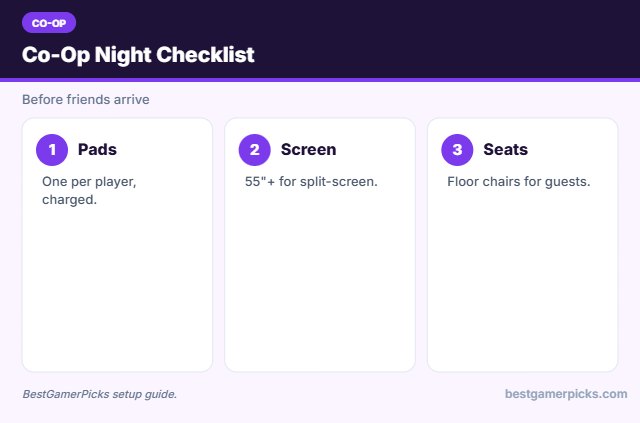
Start the best couch co op setup with an extra controller per player, a dual charging station and a 55-inch or larger TV. Swivel floor chairs add instant seats for guests.
Best Couch Co Op Setup Comparison Table
| Product | Best For | Type | Key Feature | Buy |
|---|---|---|---|---|
| PlayStation DualSense Controller | Best PS5 Controller | PS5 controller | Haptics and adaptive triggers | Check Price |
| Xbox Wireless Controller | Best Xbox Controller | Xbox controller | Works on Xbox and PC | Check Price |
| GameSir G7 SE | Best Budget Xbox/PC Controller | Wired Xbox controller | Hall-effect sticks | Check Price |
| 8BitDo Ultimate 2C | Best PC Controller | PC wireless controller | Hall-effect sticks, 2.4GHz | Check Price |
| OIVO PS5 Controller Charger | Best Budget Charger | Budget controller charger | Fast charging, two controllers | Check Price |
| Swivel Floor Gaming Chair | Best Extra Seating | Floor gaming chair | 360° swivel, foldable | Check Price |
| Samsung 55″ Q7F QLED TV | Best 55″ TV | 55″ QLED TV | QLED 4K | Check Price |
| X Rocker Floor Rocker | Best Rocker Seat | Gaming rocker chair | Built-in speakers | Check Price |
The 8 Best Couch Co-Op Setup Picks
Each best couch co op setup pick helps more people play at once.

PlayStation DualSense Wireless Controller – Midnight Black
1An extra DualSense controller is essential for PS5 couch co-op.
👍 Pros & Cons
Pros
- Official controller
- Immersive haptics
- Huge review base
Cons
- Battery life moderate
- Pricey
📄 Detailed Review
- Platform: PS5, PC
- Features: Haptics, adaptive triggers
- Color: Midnight Black
Haptics and triggers make games feel great.
Co-op essential.

2The official Xbox Wireless Controller works across Xbox, PC and mobile.
👍 Pros & Cons
Pros
- Official
- Comfortable
- Works on PC
Cons
- Uses AA batteries
- No rechargeable pack
📄 Detailed Review
- Platform: Xbox, PC, mobile
- Connection: Xbox Wireless, Bluetooth
- Power: AA batteries
A must-have for Xbox co-op.
Xbox co-op essential.

GameSir G7 SE Wired Controller for Xbox Series X|S and Windows
3GameSir G7 SE is a wired Xbox controller with hall-effect sticks and back buttons.
👍 Pros & Cons
Pros
- Drift-resistant sticks
- Affordable
- Back buttons
Cons
- Wired
- Third-party
📄 Detailed Review
- Platform: Xbox, PC
- Sticks: Hall-effect
- Connection: Wired
A great budget second controller.
Budget controller.

8BitDo Ultimate 2C Wireless Controller for Windows PC and Android
48BitDo Ultimate 2C is an affordable PC controller with hall-effect sticks.
👍 Pros & Cons
Pros
- Cheap
- Drift-resistant
- Popular
Cons
- No console support
- Basic app
📄 Detailed Review
- Platform: PC, Android
- Sticks: Hall-effect
- Connection: 2.4GHz
Great for couch PC gaming.
Couch PC controller.

OIVO PS5 Controller Charger with Fast Charging AC Adapter
5OIVO’s dual charger is a cheap, popular way to charge two DualSense controllers.
👍 Pros & Cons
Pros
- Cheap
- Huge review base
- Fast
Cons
- Third-party
- PS5 only
📄 Detailed Review
- Controllers: 2 DualSense
- Power: AC adapter
- Price: Budget
A budget essential.
Budget charger.

Best Choice Products Swivel Floor Gaming Chair, 360 Degree
6A swivel floor chair for console gaming in front of a TV.
👍 Pros & Cons
Pros
- Great for couch/TV gaming
- Foldable
- Popular
Cons
- Low seat
- Not for desks
📄 Detailed Review
- Type: Floor chair
- Swivel: 360°
- Storage: Foldable
Folds away when not in use.
Floor pick.

7Samsung’s Q7F is a popular 55-inch QLED for living room setups.
👍 Pros & Cons
Pros
- Trusted brand
- Bright QLED
- Popular
Cons
- 60Hz class
- Basic sound
📄 Detailed Review
- Size: 55 in
- Panel: QLED 4K
- Brand: Samsung
A reliable mainstream TV.
Mainstream TV.

X Rocker Video Gaming Floor Rocker Chair with Built-in Audio
8X Rocker’s floor chair adds built-in audio for immersive console sessions.
👍 Pros & Cons
Pros
- Built-in audio
- Comfortable
- Well rated
Cons
- Pricier
- Heavy
📄 Detailed Review
- Type: Floor rocker
- Audio: Built-in speakers
- Storage: Foldable
A fun couch alternative.
Audio rocker.
How We Chose the Best Couch Co Op Setup
To choose the best couch co op setup, we focused on extra controllers, charging, screen size and seating.
Loud gaming sessions add up, so keep safe listening levels in mind; read the NIDCD guide to noise-induced hearing loss.
Product details in this guide are based on manufacturer specifications and verified owner feedback, not in-house lab testing. Read more on our How We Test page.
Buying Guide: How to Choose the Best Couch Co Op Setup
Keep these factors in mind when shopping for the best couch co op setup.
Split-screen needs a bigger screen
Split-screen divides the picture, so a 55-inch or larger TV keeps each player’s view readable.
Headset or speakers?
Headsets keep noise down for roommates and neighbors and help you hear footsteps. Speakers or a soundbar are better for couch co-op with friends.
Controller charging for groups
A dual charging dock keeps two pads ready; add a second dock or spare batteries for four players.
Cable management
A cable tray, clips and a power strip mounted under the desk keep things tidy and safer, especially in small rooms.
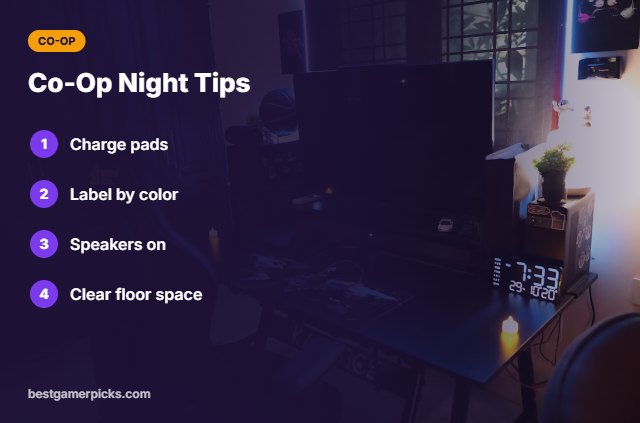
Co-Op Night Tips
Host like a pro:
- Charge all controllers beforehand.
- Label controllers by color.
- Use speakers, not headsets.
- Clear floor space for seats.
Here are quick answers about the best couch co op setup.
Frequently Asked Questions
What is the best couch co op setup?
The best couch co op setup includes an extra controller per player, a dual charging station, a 55-inch or larger TV and extra seating.
How many controllers do I need?
One per player.
Are third-party controllers OK?
Good ones like GameSir work well.
Do I need a big TV?
Larger screens help split-screen.
Final Verdict
Our final pick for the best couch co op setup is the PlayStation DualSense Controller. Choose the Xbox Wireless Controller if you want Xbox co-op, or the GameSir G7 SE for budget pads.
Related Guides
More gaming setup guides:
- Best Couch Gaming Setup
- Best Couch Gaming Setup for Gta 6
- Best Budget Console Setup for Gta 6
- Best Couch Gaming Setup for PC
- Best Lights for Gaming Room Without LEDs
- Best RGB Lights for TV
Product details are based on manufacturer specifications at the time of writing. Prices and availability change often, so check Amazon for the latest price.









Write Your Review
No reviews yet. Be the first to share your experience!