

BestGamerPicks is reader-supported. As an Amazon Associate we earn from qualifying purchases. This does not change our recommendations. Learn more.
The best smart lights that sync with games react to what happens on screen, flashing red when you take damage or matching each level’s colors.
Game sync works through PC software (Razer Chroma, Hue Sync, Govee desktop), screen capture or HDMI boxes for consoles. We compared these routes to find the best smart lights that sync with games.
Quick Answer: The Best Smart Lights That Sync with Games
- Best for Razer Chroma: Govee RGBIC Gaming Light Bars H6047 with Smart Controller
- Best Premium PC Sync: Philips Hue Play Smart Light Bar Base Kit, 2-Pack
- Best for Consoles: Govee HDMI 2.1 AI Sync Box 2, 8K/4K@144Hz, for 55-65″ TVs
- Best Monitor Sync: Govee Gaming Light for Monitor G1, RGBIC Backlight for 27-34″ PC Monitors
- Best Hue Console Sync: Philips Hue Play HDMI Sync Box 8K
- Best Wall Panels: Nanoleaf Shapes Triangle Smarter Kit with 2 Expansions
- Best Value Panels: Govee Glide Hexa Light Panels, RGBIC Hexagon LED Wall Lights
The Govee Gaming Light Bars H6047 are the best smart lights that sync with games via Razer Chroma. The Philips Hue Play bars with Hue Sync are the premium PC option and the Govee AI Sync Box 2 covers consoles.
Best Smart Lights That Sync with Games Comparison Table
| Product | Best For | Type | Key Feature | Buy |
|---|---|---|---|---|
| Govee Gaming Light Bars H6047 | Best for Razer Chroma | RGBIC gaming light bars | Razer Chroma sync support | Check Price |
| Philips Hue Play Light Bar (2-Pack) | Best Premium PC Sync | Hue light bars | Hue Sync with PC, TV and games | Check Price |
| Govee AI Sync Box 2 | Best for Consoles | HDMI sync box kit | HDMI 2.1 passthrough up to 4K 144Hz | Check Price |
| Govee Gaming Light G1 | Best Monitor Sync | Monitor sync backlight | Reads on-screen pixels via PC app | Check Price |
| Philips Hue Play HDMI Sync Box 8K | Best Hue Console Sync | Hue HDMI sync box | 4 HDMI inputs, 4K 120Hz | Check Price |
| Nanoleaf Shapes Triangles | Best Wall Panels | Premium triangle panels | Modular, touch-reactive | Check Price |
| Govee Glide Hexa Light Panels | Best Value Panels | RGBIC hexagon panels | Each edge lights in different colors | Check Price |
The 7 Best Smart Lights That Sync with Games
Each best smart lights that sync with games pick reacts to gameplay.

Govee RGBIC Gaming Light Bars H6047 with Smart Controller
1Govee’s H6047 bars are built for desks and sync with Razer Chroma for in-game lighting.
👍 Pros & Cons
Pros
- Syncs with Razer Chroma
- Gaming-focused design
- Smart controller
Cons
- Requires PC software for Chroma
- Pricier than plain bars
📄 Detailed Review
- Lighting: RGBIC
- Sync: Razer Synapse 3 / Chroma
- Control: Smart controller + app
Pair them with Razer Synapse 3 to react to supported games alongside your keyboard and mouse.
The best gaming light bars for Razer users.
Philips Hue Play Smart Light Bar Base Kit, 2-Pack
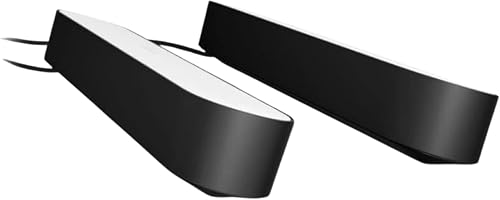
2Hue Play bars are the classic premium gaming light bars, syncing to PC screens and HDMI sources in the Hue ecosystem.
👍 Pros & Cons
Pros
- Excellent color quality
- Hue Sync for PC games and movies
- Stand or mount behind screens
Cons
- Bridge required for sync
- Expensive
📄 Detailed Review
- Pack: 2 light bars + power
- Lighting: White and color ambiance
- Needs: Hue Bridge for full features
Place them behind a monitor or TV for bias lighting, or on shelves for wall washes. With a Bridge, Hue Sync matches them to on-screen action.
The premium standard for synced light bars.

Govee HDMI 2.1 AI Sync Box 2, 8K/4K@144Hz, for 55-65″ TVs
3Govee’s AI Sync Box 2 reads the HDMI signal directly for precise lighting with 4K 144Hz passthrough.
👍 Pros & Cons
Pros
- No camera on the TV
- Supports high refresh gaming
- Very accurate sync
Cons
- Only syncs HDMI devices, not TV apps
- Pricier than camera kits
📄 Detailed Review
- HDMI: 2.1, 8K / 4K 144Hz
- Strip: RGBWIC
- TV size: 55–65 in
Plug consoles or a PC into the box, and it analyzes the video to drive the RGBWIC strip. There is no camera to mount.
Best for console gamers who want accurate sync.

Govee Gaming Light for Monitor G1, RGBIC Backlight for 27-34″ PC Monitors
4Govee’s G1 is a monitor backlight that syncs to your PC screen through software.
👍 Pros & Cons
Pros
- Syncs to PC screen without a camera
- Even, dense lighting
- DreamView with other Govee lights
Cons
- PC-only sync (needs app)
- Not for consoles
📄 Detailed Review
- Monitor size: 27–34 in
- Sync: VibraMatch PC color matching
- Lighting: RGBIC
VibraMatch reads screen pixels, so the light matches games without a camera.
Best Ambilight-style option for PC monitors.
Philips Hue Play HDMI Sync Box 8K
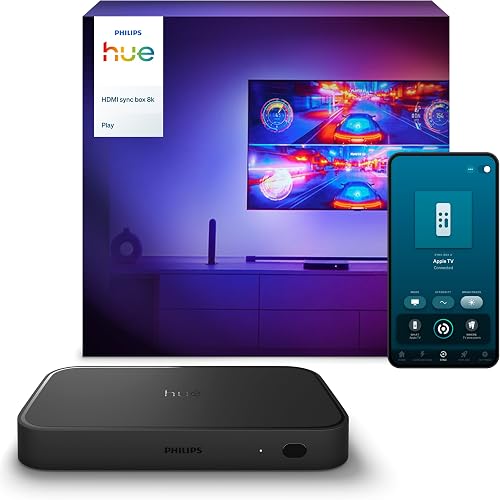
5The Hue Play HDMI Sync Box 8K syncs Hue lights to consoles and PCs at up to 4K 120Hz.
👍 Pros & Cons
Pros
- Syncs up to 4 HDMI devices
- Works with all Hue lights
- Premium sync quality
Cons
- Requires Hue Bridge and lights
- Does not sync TV apps
📄 Detailed Review
- HDMI: 8K 60Hz / 4K 120Hz
- Inputs: 4 HDMI devices
- Needs: Hue Bridge + Hue lights
It connects up to four HDMI devices and drives any Hue lights in the room, so a light strip, bars and bulbs can react together.
The premium choice for Hue homes.

Nanoleaf Shapes Triangle Smarter Kit with 2 Expansions
6Nanoleaf Shapes Triangles are the original premium triangle wall lights, with touch and rhythm features.
👍 Pros & Cons
Pros
- Premium modular design
- Touch reactive panels
- Large ecosystem
Cons
- Expensive
- Few reviews on this bundle
📄 Detailed Review
- Bundle: Smarter Kit + 2 expansions
- Lighting: RGBW, 16M+ colors
- Features: Touch, Rhythm, screen mirror
The modular design lets you build symmetrical or abstract layouts, and Nanoleaf’s desktop app can mirror your screen.
The premium triangle pick.

Govee Glide Hexa Light Panels, RGBIC Hexagon LED Wall Lights
7Govee Glide Hexa panels are the most popular Nanoleaf alternative for hexagon wall lights.
👍 Pros & Cons
Pros
- Iconic gaming room look
- Layout designer in app
- Lower price than Nanoleaf
Cons
- Adhesive mounting needs prep
- Layout planning takes time
📄 Detailed Review
- Shape: Hexagon panels
- Lighting: RGBIC
- Music: 6 music modes
Design a layout in the app, and RGBIC edges create smooth flows between panels.
The best-value hexagon panels.
How We Chose the Best Smart Lights That Sync with Games
To choose the best smart lights that sync with games, we compared lights that sync through Razer Chroma, Hue Sync, screen capture and HDMI.
For background on LED efficiency and lifespan, see the U.S. Department of Energy guide to LED lighting.
Product details in this guide are based on manufacturer specifications and verified owner feedback, not in-house lab testing. Read more on our How We Test page.
Buying Guide: How to Choose the Best Smart Lights That Sync with Games
Keep these factors in mind when shopping for the best smart lights that sync with games.
Three ways lights sync with games
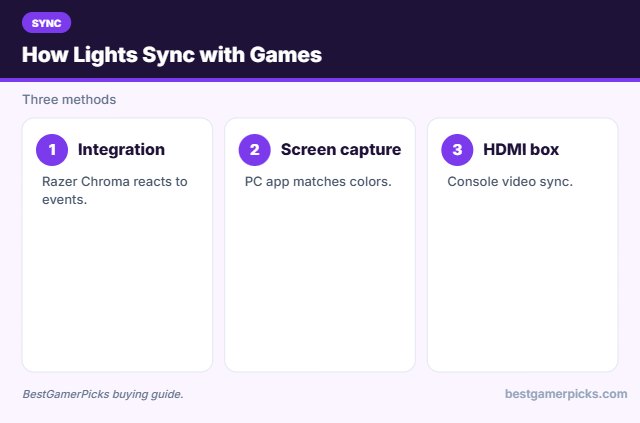
Game integrations like Razer Chroma react to in-game events. Screen capture matches colors on screen. HDMI sync boxes do the same for consoles.
Camera sync vs. HDMI sync
Camera kits watch the screen, so they work with every source, including TV apps. HDMI sync boxes read the video signal directly, which is more accurate, but only for devices plugged into the box.
Wi-Fi, Bluetooth and Matter
Bluetooth-only lights work from nearby phones. Wi-Fi lights add voice control and schedules. Matter support lets lights work across Apple Home, Google Home and Alexa.
Planning a panel layout
Sketch your layout on paper or in the app first, and use painter’s tape to mark the wall. Place the controller near an outlet and keep panels within the power limit for one supply.
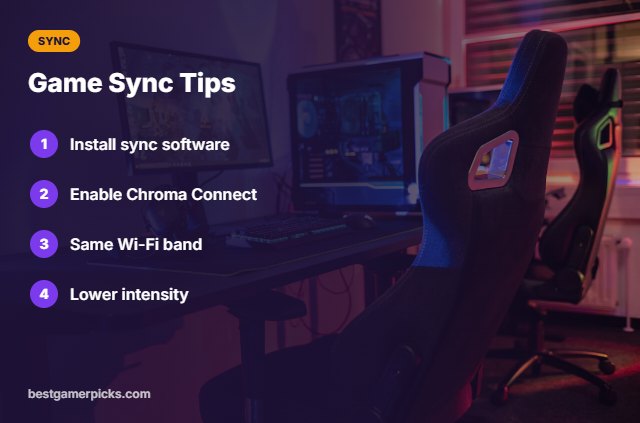
Game Sync Tips
Make it work:
- Install Razer Synapse or Hue Sync.
- Enable Chroma Connect.
- Keep lights on the same Wi-Fi band.
- Lower intensity for long sessions.
Here are quick answers about the best smart lights that sync with games.
Frequently Asked Questions
What are the best smart lights that sync with games?
The Govee Gaming Light Bars H6047 are the best smart lights that sync with games via Razer Chroma, with Hue Play bars for premium PC sync.
Do they work on consoles?
Use an HDMI sync box for consoles.
Which games support Chroma?
Many PC games; check Razer’s list.
Is there lag?
Small, but usually not noticeable.
Final Verdict
Our final pick for the best smart lights that sync with games is the Govee Gaming Light Bars H6047. Choose the Philips Hue Play Light Bar (2-Pack) if you want premium PC sync, or the Govee AI Sync Box 2 for consoles.
Related Guides
More gaming lighting guides:
- Best LED Strip Lights for Gaming
- Best Govee LED Strip Lights for Gaming
- Best Bright LED Strip Lights for Bedroom
- Best LED Strip for Desk
- Best USB Powered Speakers for PC
- Best Smart Light Bulbs for Gaming Room
Product details are based on manufacturer specifications at the time of writing. Prices and availability change often, so check Amazon for the latest price.









Write Your Review
No reviews yet. Be the first to share your experience!