

BestGamerPicks is reader-supported. As an Amazon Associate we earn from qualifying purchases. This does not change our recommendations. Learn more.
Our best headphone stand with dac picks build a USB sound card into the stand, so you can plug your headset into a clean audio jack right on the desk.
Only a few stands include a real DAC; we also list small USB DACs you can pair with any stand. We compared audio features, ports, build and owner feedback to find the best headphone stand with dac.
Quick Answer: The Best Headphone Stand with DAC
- Best Overall: Razer Base Station V2 Chroma Headphone Headset Stand Holder, Black
- Best Premium: Razer Base Station V3 Chroma RGB Headset Stand with USB Hub, Black
- Best Value: EKSA RGB Headset Stand, Headphone Stands with 7.1 Surround Sound and USB/3.5mm Port, Aluminum Alloy Rod
- Best Add-On USB DAC: Sound Blaster Play! 3, USB Audio Adapter, 24-bit 96kHz Plug and Play
- Best Budget 7.1 Adapter: 1Mii USB Sound Card, 3.5mm Audio Adapter with Virtual 7.1 for PC/Laptop
- Best Budget Hub Stand: PHNIXGAM RGB Headphone Stand with 3.5mm AUX and 3 Port USB 2.0 Hub, White
The Razer Base Station V2 Chroma is our top pick. Also consider the Razer Base Station V3 Chroma (Best Premium) and the EKSA RGB Headset Stand (Best Value).
Best Headphone Stand with DAC Comparison Table
| Product | Best For | Type | Key Feature | Buy |
|---|---|---|---|---|
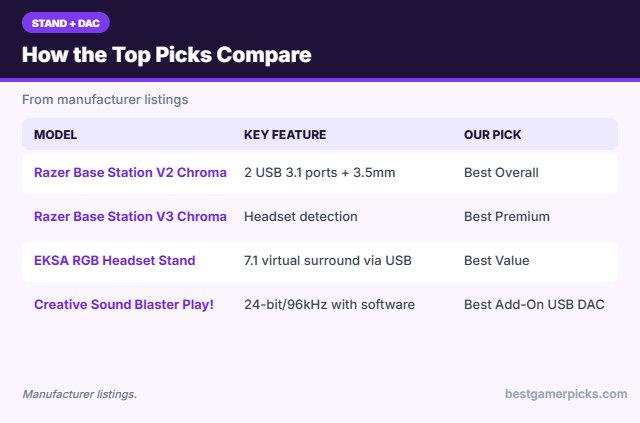
| Razer Base Station V2 Chroma | Best Overall | RGB stand with USB and 7.1 DAC | 2 USB 3.1 ports + 3.5mm 7.1 DAC | Check Price |
| Razer Base Station V3 Chroma | Best Premium | RGB stand with USB hub and 7.1 | Headset detection, 7.1 audio, dual USB 3.1 | Check Price |
| EKSA RGB Headset Stand | Best Value | RGB stand with 7.1 audio | 7.1 virtual surround via USB | Check Price |
| Creative Sound Blaster Play! 3 | Best Add-On USB DAC | USB DAC adapter | 24-bit/96kHz with software | Check Price |
| 1Mii USB Sound Card with Virtual 7.1 | Best Budget 7.1 Adapter | USB adapter with 7.1 | Virtual 7.1 surround | Check Price |
| PHNIXGAM RGB Stand with USB Hub | Best Budget Hub Stand | RGB stand with hub | 3-port USB 2.0 hub + 3.5mm AUX | Check Price |
The 6 Best Headphone Stands with DAC
Each best headphone stand with dac pick below includes built-in audio or pairs well with a stand.

Razer Base Station V2 Chroma Headphone Headset Stand Holder, Black
1The Razer Base Station V2 Chroma adds two USB 3.1 ports and a 3.5mm combo jack powered by a built-in 7.1 surround DAC.
👍 Pros & Cons
Pros
- Built-in DAC with 3.5mm jack
- Two USB 3.1 ports
- Chroma RGB
Cons
- Pricey
- Needs Razer Synapse for lighting
📄 Detailed Review
- Ports: 2 USB 3.1 + 3.5mm combo
- Audio: Built-in 7.1 surround DAC
- Lighting: Chroma RGB
It also has a non-slip, detachable base and Chroma RGB.
Best stand with a built-in DAC.

Razer Base Station V3 Chroma RGB Headset Stand with USB Hub, Black
2The Razer Base Station V3 Chroma adds dual USB 3.1 ports, 7.1 surround audio and headset detection that can trigger Synapse profiles.
👍 Pros & Cons
Pros
- Detects when you lift the headset
- 7.1 surround support
- Two USB 3.1 ports
Cons
- Expensive
- Best features need Razer Synapse
📄 Detailed Review
- Ports: Dual USB 3.1
- Audio: 7.1 surround (listed)
- Extras: Headset detection triggers profiles
It is the most feature-rich stand here.
Best premium stand.

EKSA RGB Headset Stand, Headphone Stands with 7.1 Surround Sound and USB/3.5mm Port, Aluminum Alloy Rod
3The EKSA stand adds 7.1 virtual surround through a USB connection plus 3.5mm and USB ports and RGB lighting.
👍 Pros & Cons
Pros
- Adds 7.1 surround for less
- RGB lighting
- Aluminum rod
Cons
- Fewer reviews
- Software features are basic
📄 Detailed Review
- Audio: 7.1 virtual surround (listed)
- Ports: USB + 3.5mm
- Build: Aluminum alloy rod
It is a cheaper alternative to Razer’s stands.
Best value stand with audio.

Sound Blaster Play! 3, USB Audio Adapter, 24-bit 96kHz Plug and Play
4The Sound Blaster Play! 3 is a 24-bit/96kHz USB audio adapter with Creative’s downloadable control panel.
👍 Pros & Cons
Pros
- Creative audio software
- Hi-res playback
- Works with most headsets
Cons
- USB-A only
- Software is optional
📄 Detailed Review
- Audio: 24-bit/96kHz
- Software: Downloadable control panel
- Fit: Analog headsets
It is the best small USB DAC for gaming headsets.
Best USB audio adapter.

1Mii USB Sound Card, 3.5mm Audio Adapter with Virtual 7.1 for PC/Laptop
5The 1Mii adapter adds virtual 7.1 surround and 3.5mm jacks through USB.
👍 Pros & Cons
Pros
- Virtual 7.1 surround
- Cheap
- Easy setup
Cons
- Virtual surround is hit or miss
- Windows-focused
📄 Detailed Review
- Audio: Virtual 7.1 (listed)
- Input: USB-A
- OS: Windows 10/7/XP (listed)
It is a cheap way to try surround on a stereo headset.
Best budget 7.1 adapter.

PHNIXGAM RGB Headphone Stand with 3.5mm AUX and 3 Port USB 2.0 Hub, White
6The PHNIXGAM stand adds a three-port USB 2.0 hub and a 3.5mm AUX port with an RGB base.
👍 Pros & Cons
Pros
- Three USB ports
- 3.5mm AUX port
- White color option
Cons
- USB 2.0 speeds
- Lighting modes are limited
📄 Detailed Review
- Ports: 3 USB 2.0 + 3.5mm AUX
- Lighting: RGB base
- Size: 125.6 x 146.4 x 277.8 mm (listed)
It is a cheap hub stand for mice, keyboards and dongles.
Best budget hub stand.
How We Chose the Best Headphone Stand with DAC
To choose the best headphone stand with dac, we compared audio features, ports, build and owner feedback.
For desk height, legroom and layout guidance, see the OSHA Computer Workstations eTool on desks.
Product details in this guide are based on manufacturer specifications and verified owner feedback, not in-house lab testing. Read more on our How We Test page.
Buying Guide: How to Choose the Best Headphone Stand with DAC
Keep these factors in mind when shopping for the best headphone stand with dac.
Stands with USB hubs and audio
Some stands add USB ports or a built-in USB sound card. A USB hub saves trips to the back of your PC, and a built-in sound card can add a headphone jack with virtual surround.
USB sound card adapters
A USB audio adapter gives your PC a clean headphone and mic input, bypassing noisy front-panel jacks. Most work without drivers on Windows, Mac and consoles.
Stability and size
Heavy gaming headsets can tip light stands. Look for a weighted or rubber-lined base, a wide hook that matches your headband and enough height that the ear cups do not touch the desk.
TRRS vs. TRS: splitters explained
Most gaming headsets use one 4-pole (TRRS) plug for audio and mic. PCs with separate pink and green jacks need a splitter that turns one TRRS plug into two TRS plugs.
Stand with ports tips
Get the most from it:
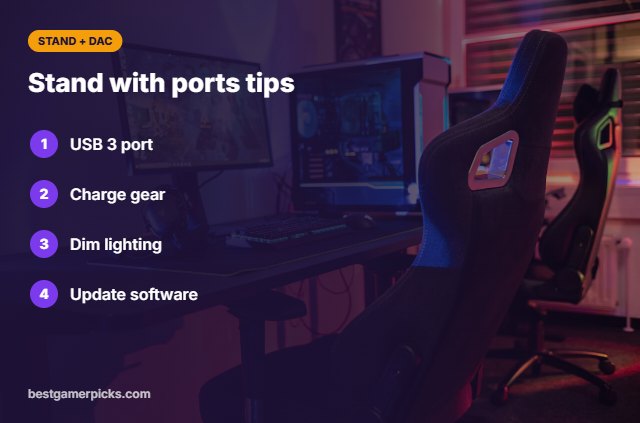
- Plug the stand into a USB 3 port on the PC.
- Use the charging ports for headsets and controllers.
- Turn the lighting down if it distracts you.
- Update the stand’s software if it has any.
Here are quick answers about the best headphone stand with dac.
Frequently Asked Questions
What is the best headphone stand with dac?
Our pick for the best headphone stand with dac is the Razer Base Station V2 Chroma, followed by the Razer Base Station V3 Chroma (Best Premium).
Does a stand DAC sound better than my PC?
It can, especially if your front-panel jack is noisy.
Do I need drivers?
Most work without drivers; Razer adds Synapse features.
Can I use a mic through the stand?
Razer’s 3.5mm combo jack supports headset mics.
Final Verdict
Our final pick for the best headphone stand with dac is the Razer Base Station V2 Chroma. Choose the Razer Base Station V3 Chroma if you want headset detection and 7.1 audio, or the EKSA RGB Headset Stand for less.
Related Guides
More gaming headset accessory guides:
- Best Headphone Stand with USB Audio
- Best Headset Stand with RGB and USB Hub
- Best Headset Stand with USB Hub
- Best RGB Headset Stand
- Best Monitor Arm with Grommet Mount
- Best Wired Earbuds for Mobile Gaming
Product details are based on manufacturer specifications at the time of writing. Prices and availability change often, so check Amazon for the latest price.







Write Your Review
No reviews yet. Be the first to share your experience!