

BestGamerPicks is reader-supported. As an Amazon Associate we earn from qualifying purchases. This does not change our recommendations. Learn more.
The best monitor arm for oled gaming monitors matches the panel’s weight and VESA layout, which can differ from older LCDs.
OLED panels are slim, but many have heavy rear electronics and some 32 to 49-inch OLEDs are heavy overall. We compared weight ratings, motion and owner feedback to find the best monitor arm for OLED screens.
Quick Answer: The Best Monitor Arm for Oled
- Best Overall: WALI Adjustable Single Monitor Arm for 13-34 inch Screens, up to 26.4 lbs
- Best Value: HUANUO FlowLift Pro Monitor Arm for 13–32″ Screens, MechaSpring Monitor Mount
- Best Premium: Ergotron LX Monitor Arm, Single Monitor Desk Mount, fits Monitors up to 34 Inches, 7 to 25 lbs
- Best for OLED Ultrawides: MSI MAG MT201 Premium Heavy Duty Single Monitor Stand Arm, 17-49″ Screens and 44 lbs
- Best Gas Spring Heavy Duty: ARES WING Ultrawide Monitor Desk Arm for 17 to 49 Inch Screen, Holds 44 Lbs, Pro Gas Spring
- Best Heavy-Duty Value: HUANUO TitanLift Heavy Duty Monitor Arm for Screens up to 49″, Holds 44 lbs
- Best Budget Heavy Duty: ErGear Heavy Duty Monitor Arm for 13-49″ Ultrawide Screens, 37.4 lbs Capacity
- Best Budget: Amazon Basics Adjustable Single Monitor Arm Desk Mount, Holds up to 32″ (38″ Ultrawide) and 22 lbs
The WALI Single Monitor Arm is the best monitor arm for OLED monitors up to 34 inches thanks to its 26.4-lb rating. The HUANUO FlowLift Pro is a smooth value pick, and the MSI MAG MT201 handles big OLED ultrawides.
Best Monitor Arm for Oled Comparison Table
| Product | Best For | Type | Key Feature | Buy |
|---|---|---|---|---|
| WALI Single Monitor Arm | Best Overall | Single monitor arm | 13–34″, 26.4 lbs | Check Price |
| HUANUO FlowLift Pro | Best Value | Single monitor arm | Mechanical spring, 13–32″ | Check Price |
| Ergotron LX | Best Premium | Premium monitor arm | Up to 34″, 7–25 lbs | Check Price |
| MSI MAG MT201 | Best for OLED Ultrawides | Heavy-duty gaming arm | 17–49″, 44 lbs | Check Price |
| ARES WING Heavy Duty Arm | Best Gas Spring Heavy Duty | Heavy-duty arm | Up to 49″, 44 lbs | Check Price |
| HUANUO TitanLift | Best Heavy-Duty Value | Heavy-duty monitor arm | Up to 49″, 44 lbs | Check Price |
| ErGear Heavy Duty Arm | Best Budget Heavy Duty | Heavy-duty arm | Up to 49″, 37.4 lbs | Check Price |
| Amazon Basics Single Monitor Arm | Best Budget | Single monitor arm | Up to 32″ (38″ ultrawide), 22 lbs | Check Price |
The 8 Best Monitor Arms for OLED Monitors
Each best monitor arm for OLED pick should be matched to your panel’s weight and VESA pattern.
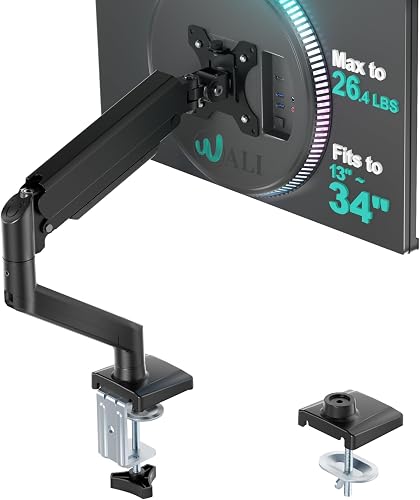
WALI Adjustable Single Monitor Arm for 13-34 inch Screens, up to 26.4 lbs
1The WALI Single Monitor Arm fits 13 to 34-inch screens up to 26.4 lbs.
👍 Pros & Cons
Pros
- High weight limit for the price
- Clamp and grommet
- Popular brand
Cons
- Basic finish
- Tension tuning
📄 Detailed Review
- Screen size: 13–34″
- Weight: Up to 26.4 lbs
- Mount: Clamp or grommet
Its higher weight limit suits heavier OLED and curved monitors.
Strong budget arm.

HUANUO FlowLift Pro Monitor Arm for 13–32″ Screens, MechaSpring Monitor Mount
2The HUANUO FlowLift Pro is a budget single arm for 13 to 32-inch screens with a mechanical spring.
👍 Pros & Cons
Pros
- Low price
- Mechanical spring
- Well reviewed
Cons
- 32-inch max
- Plastic covers
📄 Detailed Review
- Screen size: 13–32″
- Spring: MechaSpring (mechanical)
- Mount: Clamp or grommet
It is a smooth, affordable upgrade for most gaming monitors.
Best value single arm.

Ergotron LX Monitor Arm, Single Monitor Desk Mount, fits Monitors up to 34 Inches, 7 to 25 lbs
3The Ergotron LX is a premium single arm for monitors up to 34 inches and 7 to 25 lbs.
👍 Pros & Cons
Pros
- Premium build
- Very smooth movement
- Long warranty reputation
Cons
- Expensive
- Pole height is fixed
📄 Detailed Review
- Screen size: Up to 34″
- Weight: 7–25 lbs
- Spring: Ergotron CF mechanism
It is widely regarded as a benchmark for smooth, long-lasting monitor arms.
The premium standard.

MSI MAG MT201 Premium Heavy Duty Single Monitor Stand Arm, 17-49″ Screens and 44 lbs
4The MSI MAG MT201 is a heavy-duty gaming arm for 17 to 49-inch screens up to 44 lbs.
👍 Pros & Cons
Pros
- Gaming brand
- Holds 44 lbs
- Full motion
Cons
- Costs more than budget arms
- Large base
📄 Detailed Review
- Screen size: 17–49″
- Weight: Up to 44 lbs
- Brand: MSI
It suits heavy OLED and ultrawide gaming monitors.
Gaming heavy duty.

ARES WING Ultrawide Monitor Desk Arm for 17 to 49 Inch Screen, Holds 44 Lbs, Pro Gas Spring
5The ARES WING heavy-duty arm holds 17 to 49-inch screens up to 44 lbs on a gas spring.
👍 Pros & Cons
Pros
- High weight rating
- Full motion
- Good value
Cons
- Large clamp
- Gas spring tuning
📄 Detailed Review
- Screen size: 17–49″
- Weight: Up to 44 lbs
- Spring: Gas spring
It is a mid-priced choice for heavy OLED ultrawides.
Heavy-duty value.
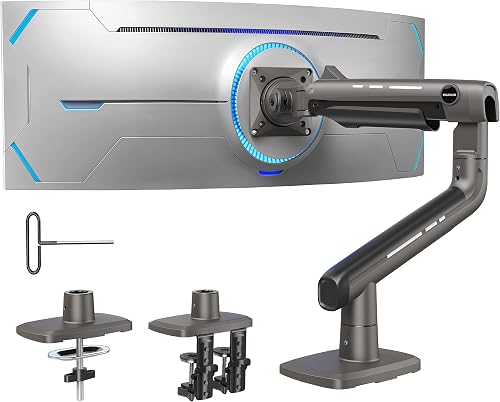
HUANUO TitanLift Heavy Duty Monitor Arm for Screens up to 49″, Holds 44 lbs
6The HUANUO TitanLift is a heavy-duty aluminum arm for screens up to 49 inches and 44 lbs.
👍 Pros & Cons
Pros
- Holds 44 lbs
- Fits super ultrawides
- Reasonable price
Cons
- Large base
- Needs a sturdy desk
📄 Detailed Review
- Screen size: Up to 49″
- Weight: Up to 44 lbs
- Material: Aluminum
It is a value alternative to premium heavy-duty arms.
Value heavy duty.

ErGear Heavy Duty Monitor Arm for 13-49″ Ultrawide Screens, 37.4 lbs Capacity
7The ErGear Heavy Duty Monitor Arm fits 13 to 49-inch screens up to 37.4 lbs.
👍 Pros & Cons
Pros
- Cheap heavy-duty arm
- Fits ultrawides
- Well reviewed
Cons
- Not for the heaviest 49s
- Large clamp
📄 Detailed Review
- Screen size: 13–49″
- Weight: Up to 37.4 lbs
- Motion: Full motion
It is a budget pick for 34-inch and lighter 49-inch ultrawides.
Budget heavy duty.

Amazon Basics Adjustable Single Monitor Arm Desk Mount, Holds up to 32″ (38″ Ultrawide) and 22 lbs
8The Amazon Basics Adjustable Single Monitor Arm holds screens up to 32 inches (38-inch ultrawide) and 22 lbs with adjustable tension.
👍 Pros & Cons
Pros
- Very affordable
- Adjustable tension
- Clamp and grommet options
Cons
- Basic cable management
- Not for heavy ultrawides
📄 Detailed Review
- Screen size: Up to 32″ (38″ ultrawide)
- Weight: Up to 22 lbs
- Mount: Clamp or grommet
It is a low-cost way to lift a gaming monitor and free up desk space.
A great budget arm.
How We Chose the Best Monitor Arm for Oled
To choose the best monitor arm for oled, we compared arms on weight ranges suited to OLED panels, motion and owner feedback.
For official guidance on monitor distance, height and viewing angle, see the OSHA Computer Workstations eTool on monitors.
Product details in this guide are based on manufacturer specifications and verified owner feedback, not in-house lab testing. Read more on our How We Test page.
Buying Guide: How to Choose the Best Monitor Arm for Oled
Keep these factors in mind when shopping for the best monitor arm for oled.
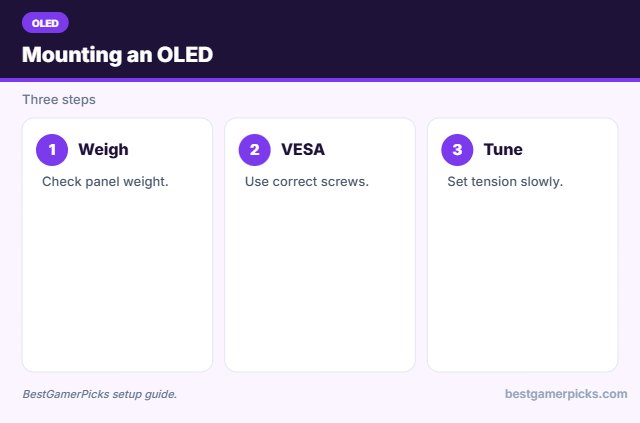
Check VESA and weight
Most monitors use a 75×75 or 100×100 mm VESA pattern on the back. Confirm the arm’s weight range covers your monitor, including curved or OLED models that may be heavier than they look.
OLED care on an arm
Move the screen by the frame, not the panel, and avoid pressing on the thin edges. Many OLEDs run pixel refresh cycles, so let the screen finish before switching off at the wall.
Screen size and arm reach
Larger screens need longer arms and stronger springs. Ultrawides around 34 inches and super ultrawides at 49 inches need heavy-duty arms rated for their weight and width.
Set the right monitor height
Place the top of the screen at or slightly below eye level, about an arm’s length away. An arm makes it easy to adjust when you switch between gaming and work.
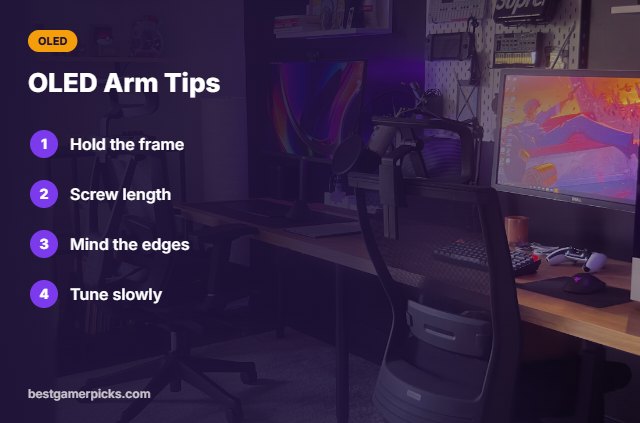
OLED Arm Tips
Protect the panel:
- Hold by the frame when adjusting.
- Check VESA screw length.
- Avoid pressing the panel edge.
- Tune tension carefully.
Here are quick answers about the best monitor arm for oled.
Frequently Asked Questions
What is the best monitor arm for OLED monitors?
The WALI Single Monitor Arm is the best monitor arm for OLED monitors up to 34 inches, with the MSI MAG MT201 for larger OLED ultrawides.
Are OLED monitors heavy?
Panels are thin, but some models are heavy overall.
Do OLEDs use standard VESA?
Most do; some need included spacers.
Can arms damage OLEDs?
Not if you adjust by the frame.
Final Verdict
Our final pick for the best monitor arm for oled is the WALI Single Monitor Arm. Choose the HUANUO FlowLift Pro if you want better value, or the Ergotron LX for premium motion.
Related Guides
More monitor arm and stand guides:
- Best Monitor Arm for Heavy Monitors
- Best Monitor Arm for Oled Monitor Weight
- Best Monitor Arm for Glass Desk
- Best Monitor Arm for Standing Desk
- Best Lapboard for Xbox
- Best Soundbar for PS5 with Subwoofer
Product details are based on manufacturer specifications at the time of writing. Prices and availability change often, so check Amazon for the latest price.







Write Your Review
No reviews yet. Be the first to share your experience!