

BestGamerPicks is reader-supported. As an Amazon Associate we earn from qualifying purchases. This does not change our recommendations. Learn more.
The best monitor light bar for eye strain combines flicker-free light, no screen glare and balanced desk brightness for long sessions.
Lighting helps comfort, but it is only one factor; breaks and screen distance matter too. We compared eye-comfort features to find the best monitor light bar for eye strain.
Quick Answer: The Best Monitor Light Bar for Eye Strain
- Best Overall: BenQ ScreenBar Halo 2 LED Monitor Light Bar with Wireless Controller
- Best Value: Quntis Computer Monitor Lamp, Eye-Care USB Light Bar
- Best Bright Coverage: BenQ ScreenBar Pro LED Monitor Light Bar, Ultrawide Lighting, Motion Sensor
- Best High-CRI Smart: YEELIGHT Monitor Light Bar with RGB Backlight, Ra98, Works with Matter
- Best Budget Backlight: Quntis 15.7″ Monitor Light Bar with 24 RGB Modes
- Best Minimal: Xiaomi Mi Computer Monitor Light Bar
The BenQ ScreenBar Halo 2 is the best monitor light bar for eye strain thanks to its backlight and glare-free front light. The Quntis Monitor Light Bar offers certified flicker-free light for less.
Best Monitor Light Bar for Eye Strain Comparison Table
| Product | Best For | Type | Key Feature | Buy |
|---|---|---|---|---|
| BenQ ScreenBar Halo 2 | Best Overall | Premium monitor light bar | Front light + backlight + motion sensor | Check Price |
| Quntis Monitor Light Bar | Best Value | Budget monitor light bar | Auto-dimming, flicker-free | Check Price |
| BenQ ScreenBar Pro | Best Bright Coverage | Wide-coverage monitor light bar | 1000+ lx center, fits 1000–1800R curves | Check Price |
| Yeelight RGB Monitor Light Bar (Matter) | Best High-CRI Smart | Smart RGB monitor bar | Matter support + RGB backlight | Check Price |
| Quntis 15.7″ RGB Light Bar | Best Budget Backlight | Compact RGB monitor bar | Front light + independent RGB backlight | Check Price |
| Xiaomi Mi Monitor Light Bar | Best Minimal | Minimal monitor light bar | Magnetic mount, wireless dial | Check Price |
The 6 Best Monitor Light Bars for Eye Strain
Each best monitor light bar for eye strain pick focuses on visual comfort.

BenQ ScreenBar Halo 2 LED Monitor Light Bar with Wireless Controller
1The ScreenBar Halo 2 lights your desk without glare and adds a backlight to soften screen contrast.
👍 Pros & Cons
Pros
- No screen glare
- Backlight reduces contrast
- Motion sensor auto on/off
Cons
- Premium price
- No RGB colors
📄 Detailed Review
- Front light: ASYM-Light, 18° anti-glare
- Backlight: Wide adjustable ambient
- Control: Wireless controller, motion sensor
BenQ’s asymmetric optics aim light at the desk, not the screen, and the wireless dial controller makes adjustments easy.
The best eye-comfort monitor light.

Quntis Computer Monitor Lamp, Eye-Care USB Light Bar
2Quntis’s USB light bar is the most popular budget monitor light, with auto-dimming and no screen glare.
👍 Pros & Cons
Pros
- Huge review base
- No screen glare
- Affordable
Cons
- No remote
- Not ideal for very curved screens
📄 Detailed Review
- Power: USB
- Features: Auto-dimming sensor
- Certifications: IEC/TR 62778, IEC/EN 62471
It is certified flicker-free and blue-light safe, and asymmetric optics keep light off the screen.
The value pick for any desk.

BenQ ScreenBar Pro LED Monitor Light Bar, Ultrawide Lighting, Motion Sensor
3The ScreenBar Pro lights a wide desk area and fits curved monitors, a strong choice for ultrawides.
👍 Pros & Cons
Pros
- Very wide, bright coverage
- Fits curved monitors
- Ultrasonic motion sensor
Cons
- No backlight
- Premium price
📄 Detailed Review
- Brightness: 1000+ lx center
- Coverage: 33″ × 20″ area
- Fit: Flat and 1000–1800R curved
Its clamp handles monitors 0.17 to 2.56 inches thick and curvatures from 1000R to 1800R.
Great for wide desks.

YEELIGHT Monitor Light Bar with RGB Backlight, Ra98, Works with Matter
4Yeelight’s RGB bar adds Matter support and an RGB backlight to an accurate Ra98 front light.
👍 Pros & Cons
Pros
- Matter smart home support
- RGB backlight with sync features
- High color accuracy
Cons
- Pricier than basic bars
- App setup needed
📄 Detailed Review
- Front light: Ra98 color rendering
- Backlight: RGB
- Smart home: Matter, Alexa
It works with Alexa and other Matter platforms, so you can include it in room scenes.
Best smart-home monitor bar.
Check Yeelight RGB Monitor Light Bar (Matter) Price on Amazon

Quntis 15.7″ Monitor Light Bar with 24 RGB Modes
5This compact Quntis bar adds an RGB backlight to a high-CRI front light, at a low price.
👍 Pros & Cons
Pros
- Affordable RGB backlight
- High CRI front light
- Compact
Cons
- Short for big monitors
- Basic controls
📄 Detailed Review
- Length: 15.7 in
- Front light: 3000–6500K, CRI ≥ 95
- Backlight: 24 RGB modes
It suits 24 to 27-inch monitors on smaller desks.
The budget RGB light bar.

6Xiaomi’s light bar is a clean, minimalist way to light your desk without screen glare.
👍 Pros & Cons
Pros
- Clean minimalist design
- No screen glare
- Easy install
Cons
- No backlight
- Not for heavy curves
📄 Detailed Review
- Mount: Magnetic clip
- Optics: Asymmetric
- Control: Wireless dial
A magnetic mount and wireless dial make it simple to install and adjust.
A design-focused pick.
How We Chose the Best Monitor Light Bar for Eye Strain
To choose the best monitor light bar for eye strain, we compared bars on flicker-free claims, glare control, backlights and auto-dimming.
For advice on screen lighting and eye strain from eye doctors, see the American Academy of Ophthalmology guide to computers and eye strain.
Product details in this guide are based on manufacturer specifications and verified owner feedback, not in-house lab testing. Read more on our How We Test page.
Buying Guide: How to Choose the Best Monitor Light Bar for Eye Strain
Keep these factors in mind when shopping for the best monitor light bar for eye strain.
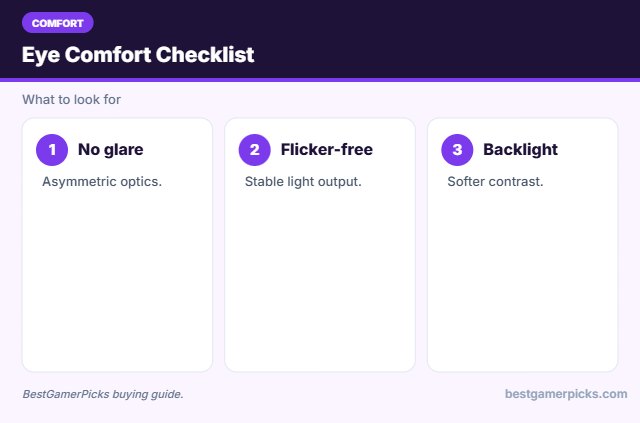
Avoid screen glare
Position lights behind or above your screen, not in front of it. Light that shines on the display causes reflections that wash out the image.
Why bias lighting helps
A soft light behind your screen reduces the contrast between a bright display and a dark wall. Many players find this more comfortable for long evening sessions.
Flicker-free and blue light ratings
Look for flicker-free claims and photobiological safety standards like IEC 62471. These limit flicker and blue light hazard.
Warm light for evening play
Warm, dim light in the evening feels more relaxing than bright cool light. Many smart lights let you schedule a shift to warm tones after sunset.
Eye Comfort Habits
Beyond lighting:
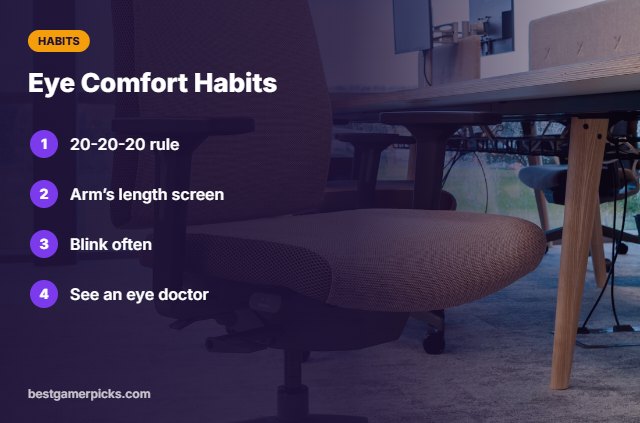
- Follow the 20-20-20 rule.
- Keep the screen an arm’s length away.
- Blink often.
- See an eye doctor for symptoms.
Here are quick answers about the best monitor light bar for eye strain.
Frequently Asked Questions
What is the best monitor light bar for eye strain?
The BenQ ScreenBar Halo 2 is the best monitor light bar for eye strain, with the Quntis bar as a value pick.
Can a light bar cure eye strain?
No, it can make viewing more comfortable alongside good habits.
What is the 20-20-20 rule?
Every 20 minutes, look 20 feet away for 20 seconds.
Warm or cool light?
Warmer tones feel easier at night.
Final Verdict
Our final pick for the best monitor light bar for eye strain is the BenQ ScreenBar Halo 2. Choose the Quntis Monitor Light Bar if you want value, or the BenQ ScreenBar Pro for bright coverage.
Related Guides
More desk lighting guides:
- Best Monitor Light Bar
- Best Budget Monitor Light Bar
- Best Monitor Light Bar for Curved Monitor
- Best Monitor Light Bar for Ultrawide
- Best Cozy Gaming Lamp
- Best Bluetooth Computer Speakers
Product details are based on manufacturer specifications at the time of writing. Prices and availability change often, so check Amazon for the latest price.

Write Your Review
No reviews yet. Be the first to share your experience!